An open-source font browser and manager for Omarchy and Linux. Browse 1,741 Google Fonts and 23 curated indie typefaces in Discover, manage installed families in Library, and install straight to your user fonts with no zip files or password.
1,764 typefaces3–12 KB live previewsNative Qt 6 / C++17MIT License
Judge the letterforms, not the chrome.
Type directly below. Every card in Omatype renders your own words in the actual typeface, with presets for Editorial, Pangram, Figures, Alphabet, and Paragraph.
64px
Rodrigo Fuenzalida & Jordan Egstad — Google Fonts · Serif · SIL OFL 1.1
omatype get "Instrument Serif"
Every view built for working designers.
Discover and Library share one native Qt 6 window. Browse new typefaces, inspect OpenType tables from disk, tidy up cluttered font menus, and reload your running design tools, word processors, editors, browsers, and terminals after each install.
01
Full-width browsing, zero clutter.
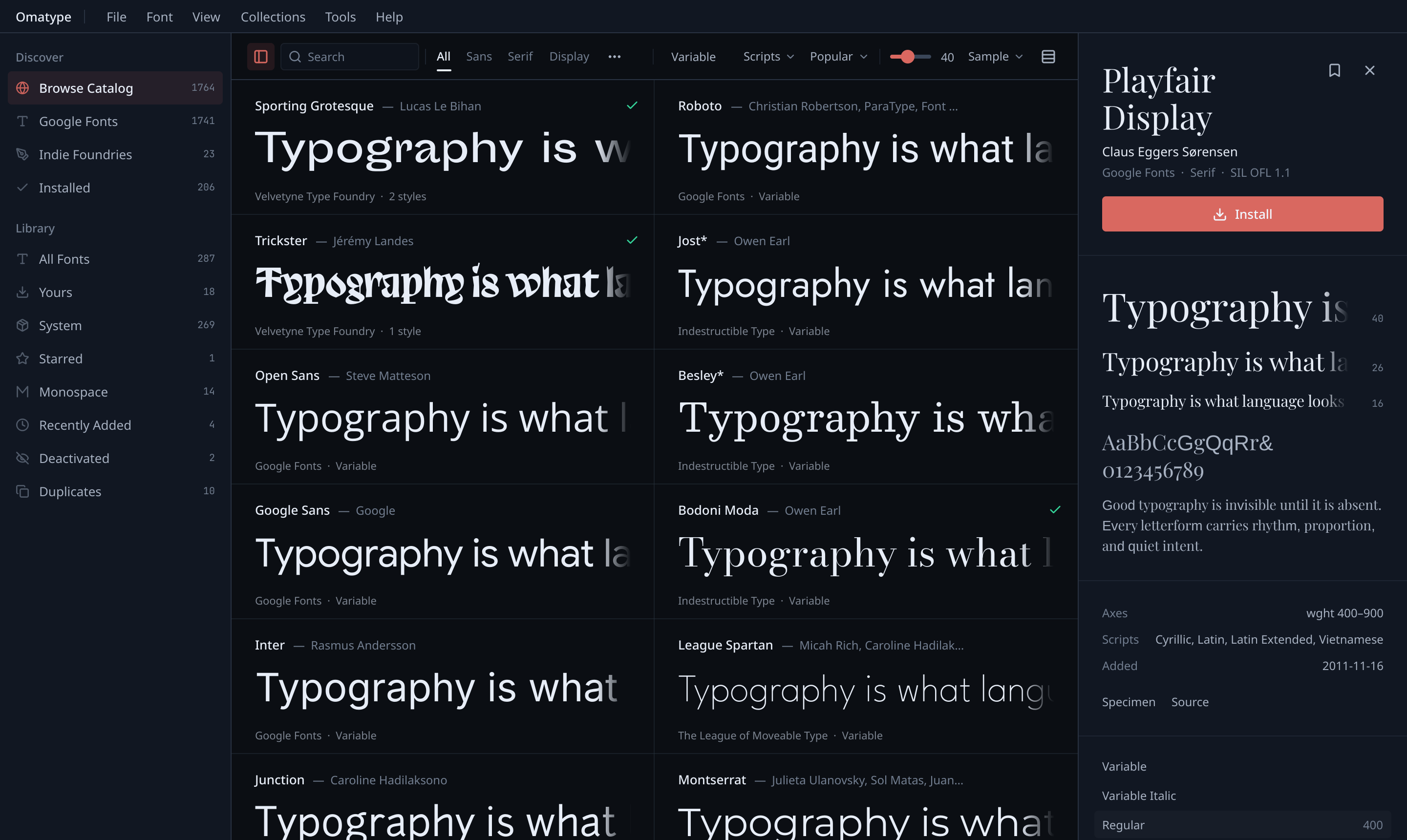
Open Discover with Ctrl+G and close the detail panel to spread the specimen grid across the whole window. Switch between two-column cards and full-width rows, scale previews with the slider, and set your own sample text from the Sample menu.
—Editable sample text with Editorial, Pangram, Figures, Alphabet, and Paragraph presets
—Category tabs (All, Sans, Serif, Display, Script, Mono) fold behind “…” when narrow, plus Variable, Scripts, and sort
—Quiet check mark on families already installed on your machine
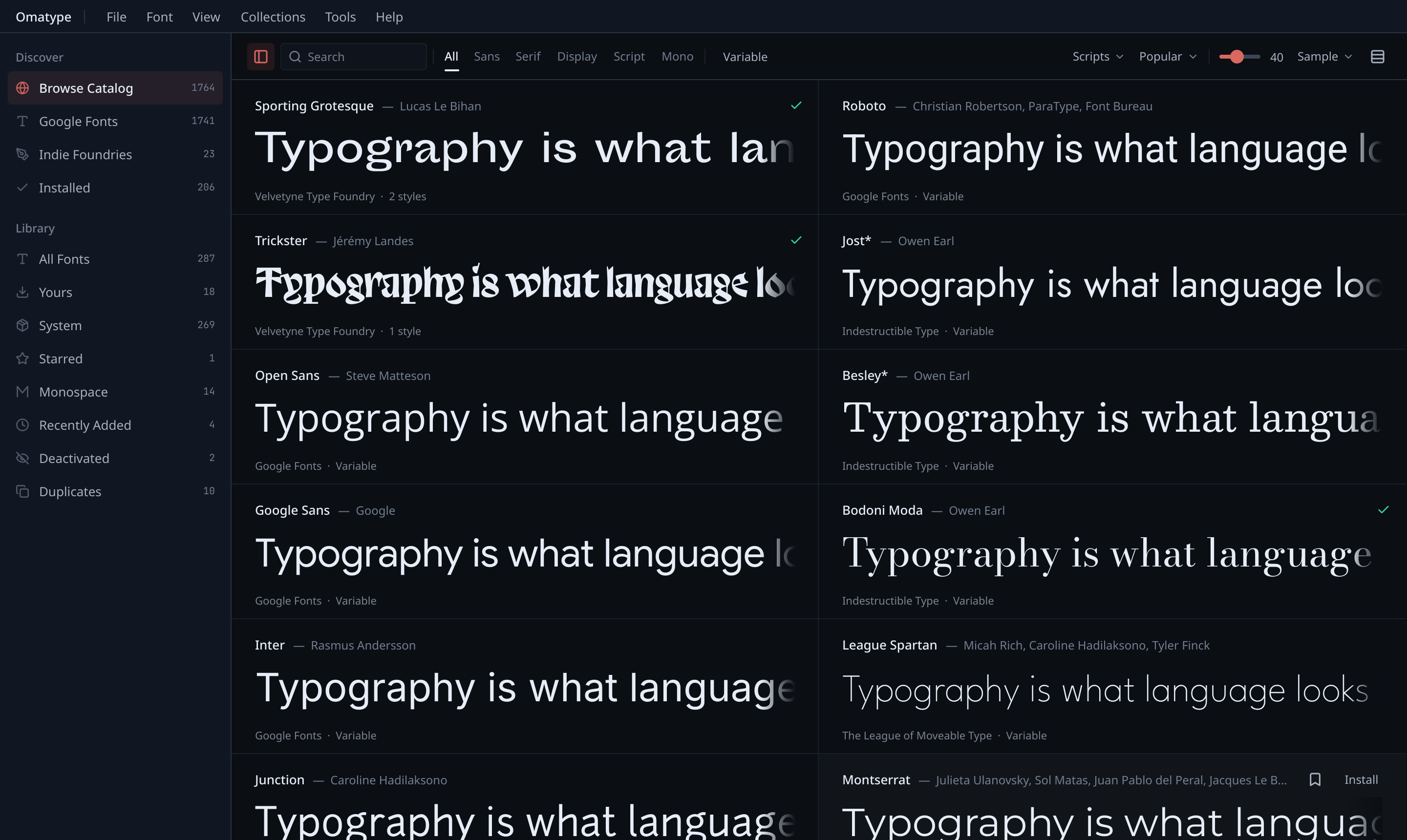
Discover specimen grid with the detail panel closedTwo-column grid or full-width rows
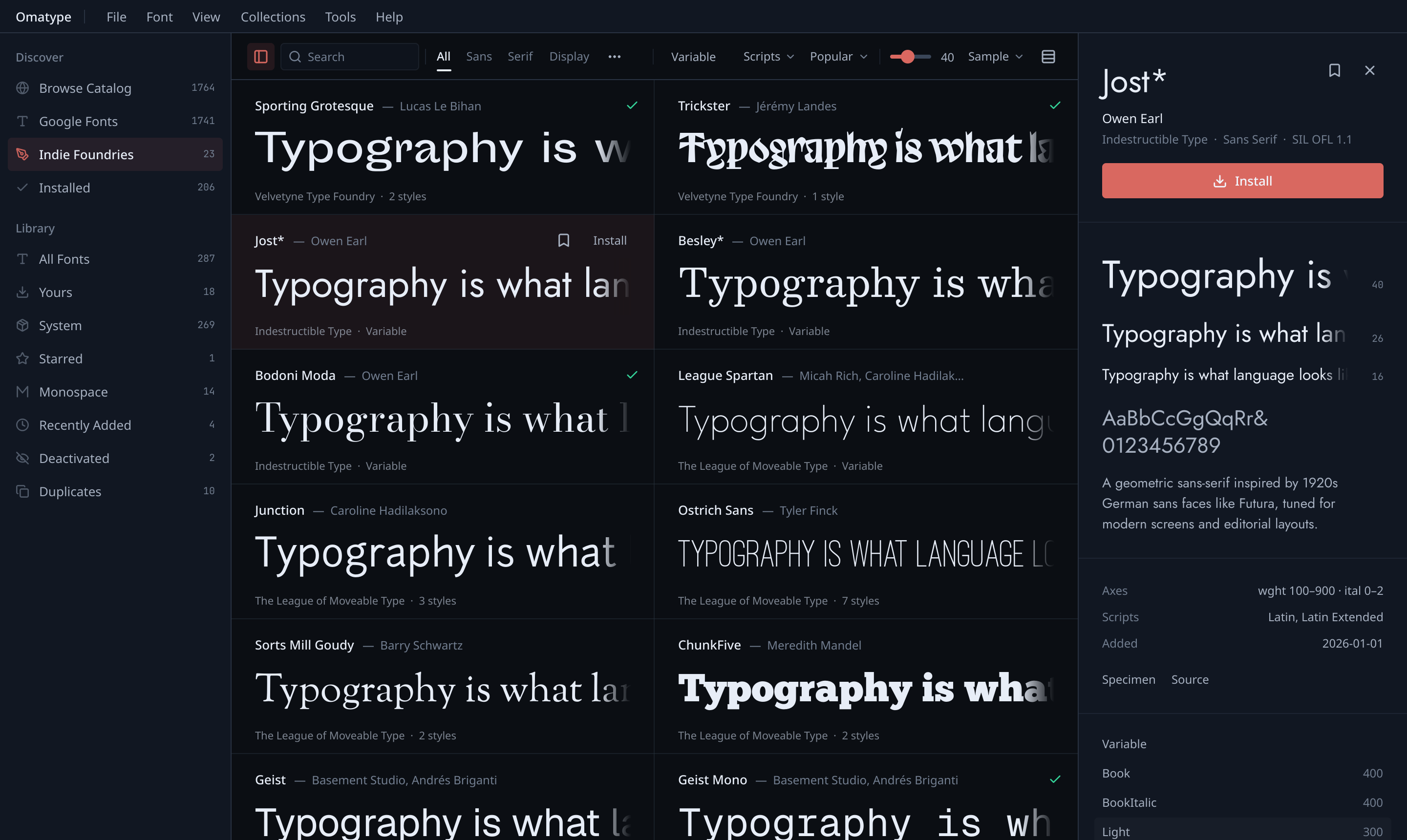
Indie Foundries source with Jost* by Owen Earl in the detail panel23 curated independent typefaces
02
Beyond Google Fonts.
Great open-source typography comes from independent foundries as well as Google Fonts. Omatype combines 1,741 Google Fonts families with 23 curated indie releases from Velvetyne, Indestructible Type, The League of Moveable Type, Vercel Geist, GitHub Next Monaspace, Nerd Fonts, and independent designers, all previewable and installable in one click.
—Resizable detail panel with designer credit, foundry, license, 40/26/16 px waterfall, glyph & figure study, axes, scripts, and source links
—Shortlist families across Discover and Install all in one go
—Grab the variable font or pick specific static weights
Google Fonts
1,741 families live-indexed with local caching and variable axes
Velvetyne Type Foundry
Sporting Grotesque, Trickster: expressive French libre typefaces
Indestructible Type
Jost*, Besley*, Bodoni Moda: geometric and editorial variable families
The League of Moveable Type
League Spartan, Junction, Ostrich Sans, Sorts Mill Goudy, ChunkFive
Vercel & GitHub Next
Geist, Geist Mono, Monaspace Neon, Argon, Xenon
Information Architects
iA Writer Quattro and iA Writer Mono for long-form writing
Commit Mono, Maple Mono, Uncut Sans, Atkinson Hyperlegible Next
03
Inspect what the files actually say.
Switch to Library (Ctrl+Shift+L) to manage installed fonts across All Fonts, Yours, System, Starred, Monospace, Recently Added, Deactivated, Duplicates, tags, collections, and smart collections, each expanding to list its families. The Info pane reads OpenType tables straight from disk: glyph count, units per em, PostScript names, embedding, designer & foundry, and language coverage.
—Refine row narrows any source by design (Serif, Sans-serif, Handwriting, Symbolic, Monospace, Variable, Color glyphs), Scripts, and Languages
—Five views: Specimen, Grid, List, Repertoire, and Compare
—Per-style deactivate switches backed by one reversible fontconfig file; package fonts are never deleted
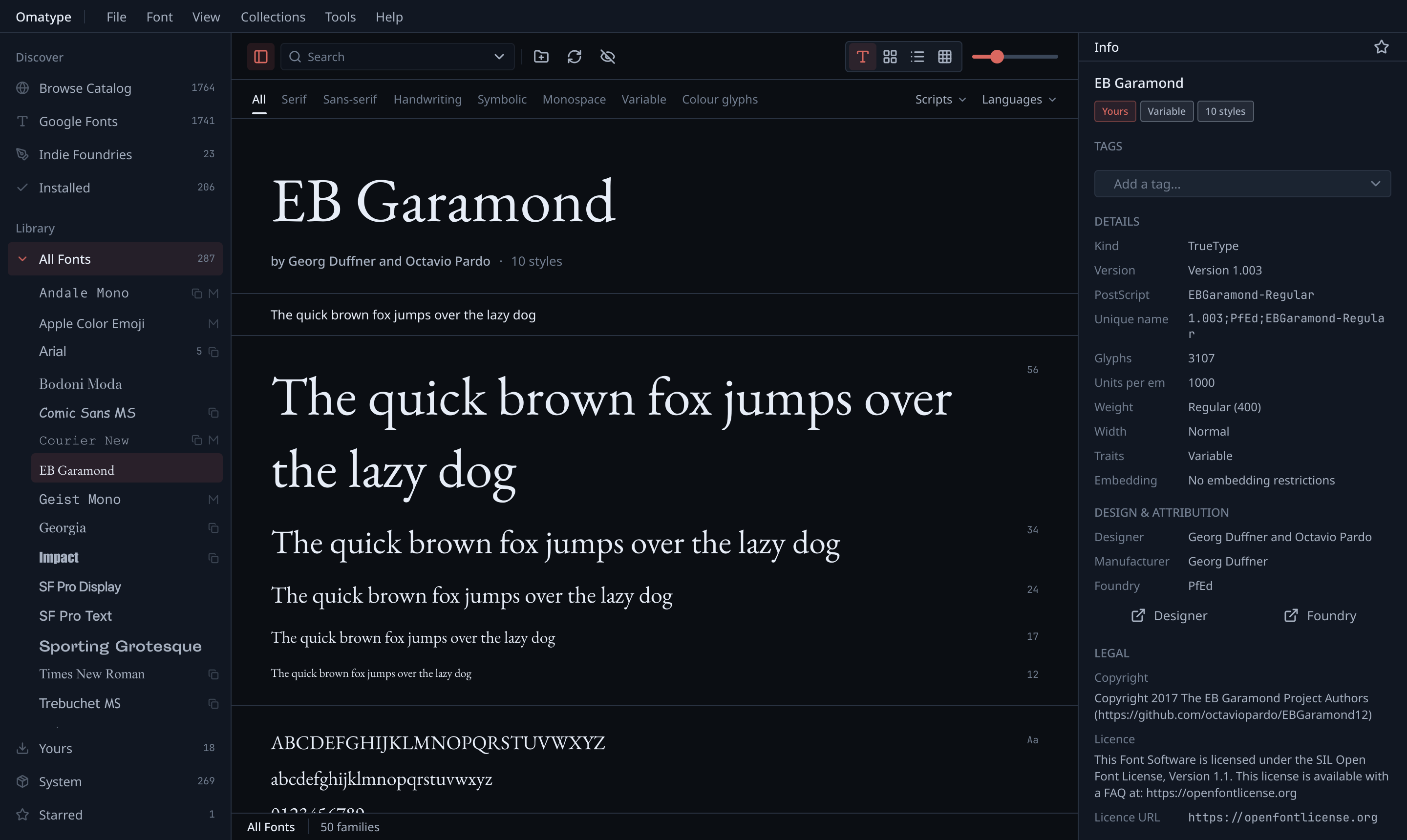
Library Specimen view of EB Garamond with the Info pane and refine rowOpenType tables read from disk
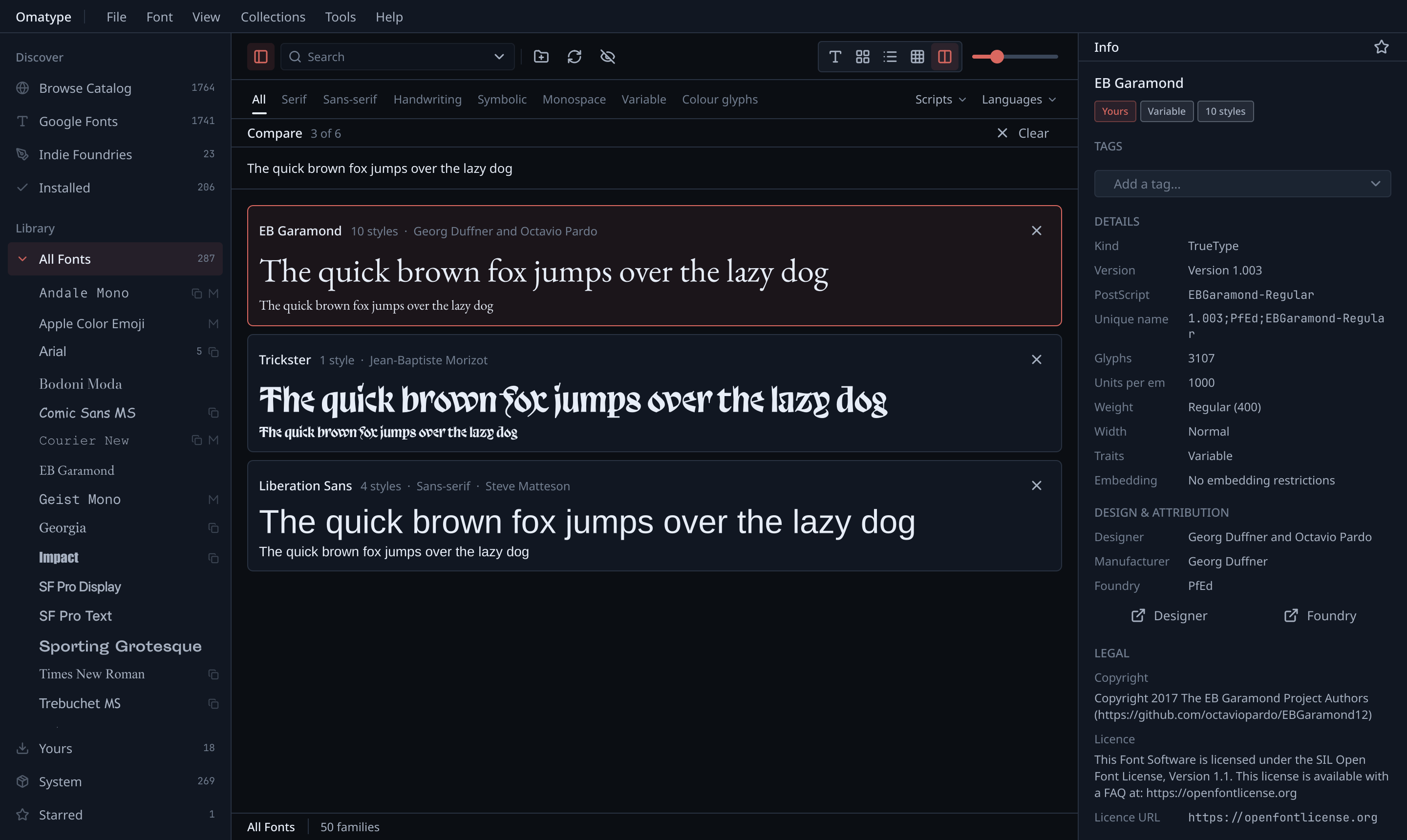
Compare view stacking EB Garamond, Trickster, and Liberation SansToggle up to six families with Ctrl+M
04
Choose by looking, not remembering.
Press Ctrl+M on up to six families to stack them on the same editable sentence at display and body sizes. Judge x-height, color, and voice side by side before committing a typeface to your project.
—Shared sample text and live size slider across every stacked face
—Designer and style-count metadata beside every candidate
—Works alongside Starred families, tags, collections, and smart collections
05
Clean font menus, ready in your apps.
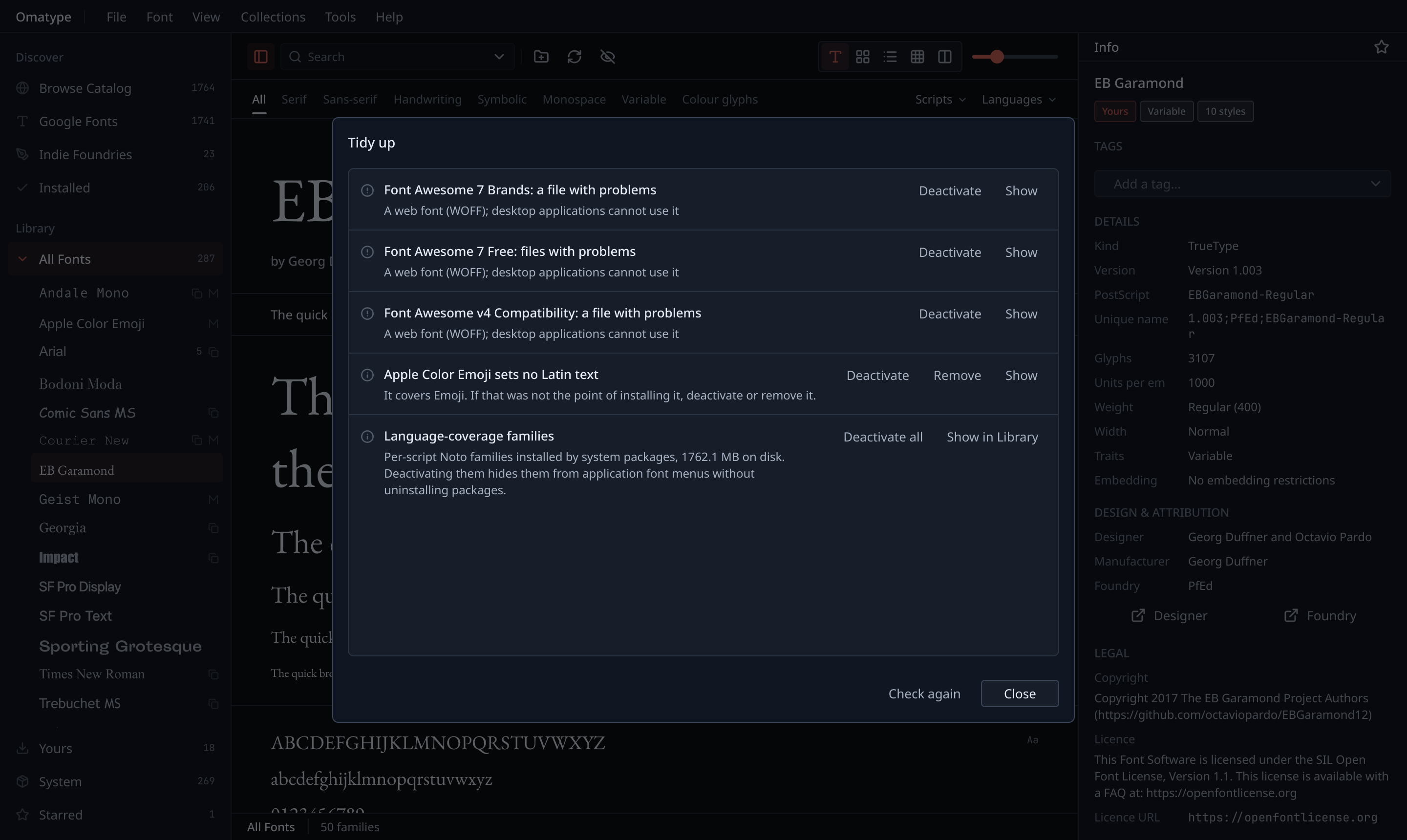
A standard Arch install ships hundreds of per-script Noto families that bury the fonts you actually design with. Open Tools ▸ Tidy up (Ctrl+Shift+T) to spot OTF/TTF twins, static weights beside a variable font, broken or web-only files, stray non-Latin fonts, and per-script Noto language families, then fix rows in place and click Check again beside Close.
—Text actions on each row deactivate duplicates and per-script Noto clutter via fontconfig
—Package fonts are never deleted; every deactivation stays reversible
—Tools ▸ Applications reloads registered apps (design tools, LibreOffice, editors, browsers, terminals) cleanly after each install, never force-killing
Tools ▸ Tidy up listing detected issues with text actions on the rightReversible fontconfig rules, Check again beside Close
Fast by architecture, not by luck.
Omatype is a compiled C++17 / Qt 6 Quick binary with no Electron overhead, no API keys, and plain XDG paths you can inspect or script yourself.
01
3–12 KB per typeface, cached locally
Instead of downloading megabytes of full font files just to render a catalog card, Omatype requests subsetted previews (3–12 KB each) for visible cards on demand and caches them in ~/.cache/omatype/previews/ so scrolling the catalog stays fast.
02
Direct installs and automatic app reloads
Clicking Install writes variable or chosen static weights into~/.local/share/fonts/<Family>/ with the license file and refreshes fc-cache, with no zip files or password. Register your apps in Tools ▸ Applications so Omatype restarts running ones cleanly (asking them to quit, never force-killing), or trigger a per-app Reload button or custom command.
03
Reversible deactivation & collections
Deactivating a family, individual style, or collection writes a single fontconfig file at ~/.config/fontconfig/conf.d/60-omatype-deactivated.conf and removes it when empty. Package fonts from pacman are never deleted; they just stay out of your font pickers until you turn them back on.
04
Follows your Omarchy theme live
Omatype watches ~/.local/state/omarchy/current/theme/colors.toml and follows your Omarchy theme’s accent color live, while keeping specimen surfaces neutral so letterforms read accurately. An optional Omarchy bar widget is available as a separate plugin once omatype is installed.
Install in one minute.
Builds cleanly as an Arch package via makepkg so it lands in your Omarchy launcher (Super + Space) and puts omatype on yourPATH.
Build & install on Omarchy / Arch
Requires Qt 6 (base, declarative, svg), fontconfig, libarchive, and xdg-desktop-portal, all preinstalled on Omarchy. For the optional bar widget, install omatype first and runomarchy plugin add https://github.com/pipetogrep/omatype.git --enable.
git clone https://github.com/pipetogrep/omatype.git ~/omatype
cd ~/omatype
./bin/install
# Or compile & run locally without installing a package./bin/build./bin/test./build/omatype
Ctrl+G / Ctrl+Shift+L
Switch between Discover and Library
/
Search catalog or filter local fonts
Esc
Clear the stage, then clear the filter
Ctrl+1 … 5
Specimen, Grid, List, Repertoire, Compare
Ctrl+D / Ctrl+M
Deactivate family / toggle Compare
Ctrl+Shift+T
Open Tidy up
Headless CLI parity
The same catalog and fontconfig engine works without a window and supports--json across search, get, list,info, install, remove, validate,deactivate, activate, and export.
# Search Google Fonts & indie foundriesomatype search "Playfair"
omatype search --source indie
# Install straight to ~/.local/share/fontsomatype get "Space Grotesk"
omatype get "Inter" --static
# Manage installed families headlesslyomatype list --json
omatype info "EB Garamond"
omatype deactivate "Noto Sans Tamil"
omatype validate ~/Downloads/Pack.zip